2026-07-22 · 8 min read
IOC Extractor and URL Defang Workflow for Security Triage
How to extract URLs, domains, IPs, and hashes from security text, safely defang or refang indicators, and prepare a clean triage note.
Search intent
For users searching for IOC extractor, defang URL, refang URL, or security alert triage workflows.
Key takeaways
- Extract indicators from messy alert text before writing a triage summary.
- Defang suspicious URLs before sharing them in tickets or chat.
- Refang only when a tool requires a live indicator format.
- Keep evidence, source text, and transformed indicators clearly separated.
Tool workflow
Paste the raw alert or report text
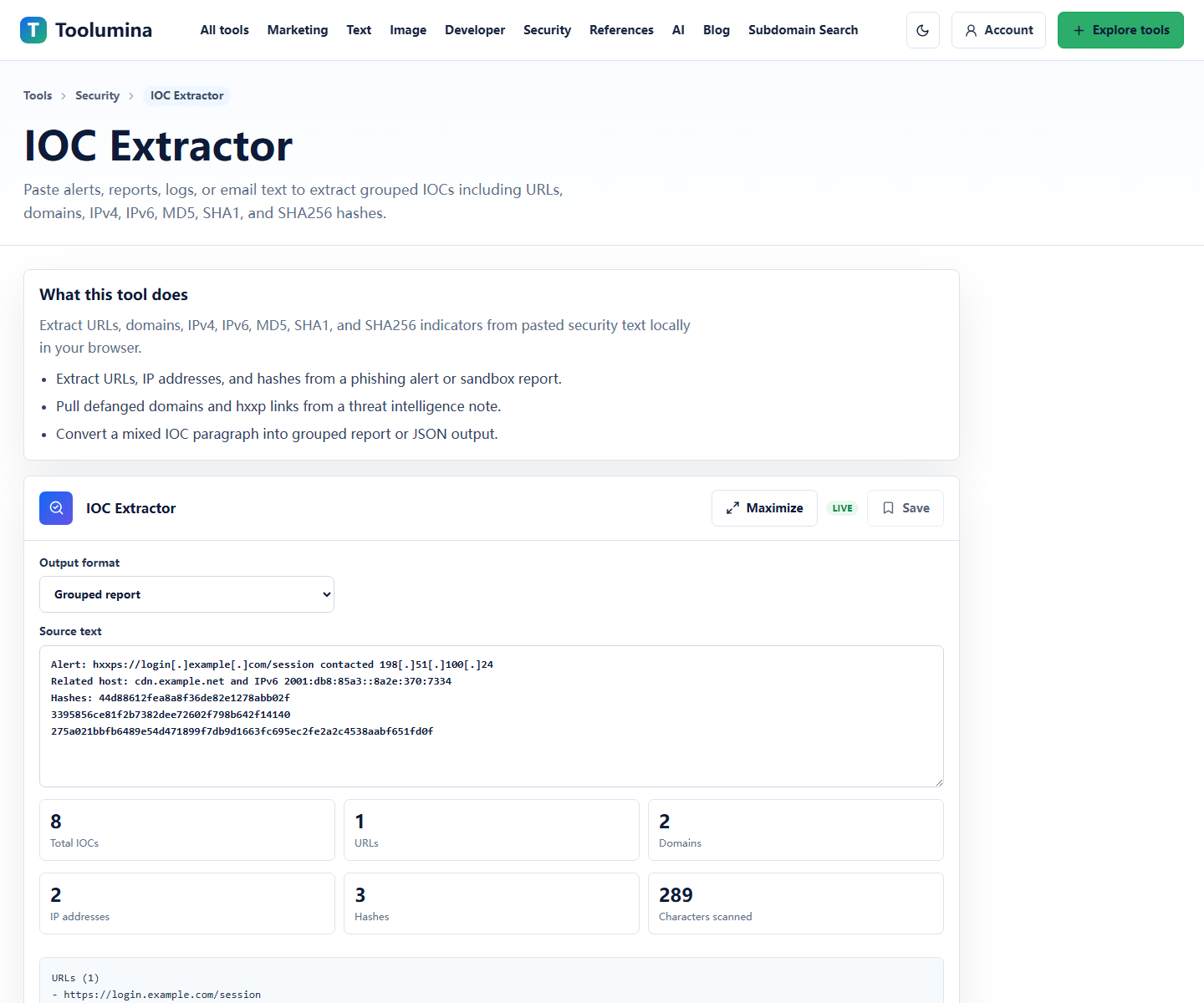
Use IOC Extractor to pull URLs, domains, IP addresses, and hashes into grouped output. Keep a copy of the original text so you can trace each indicator back to context.
IOC ExtractorDefang indicators before sharing
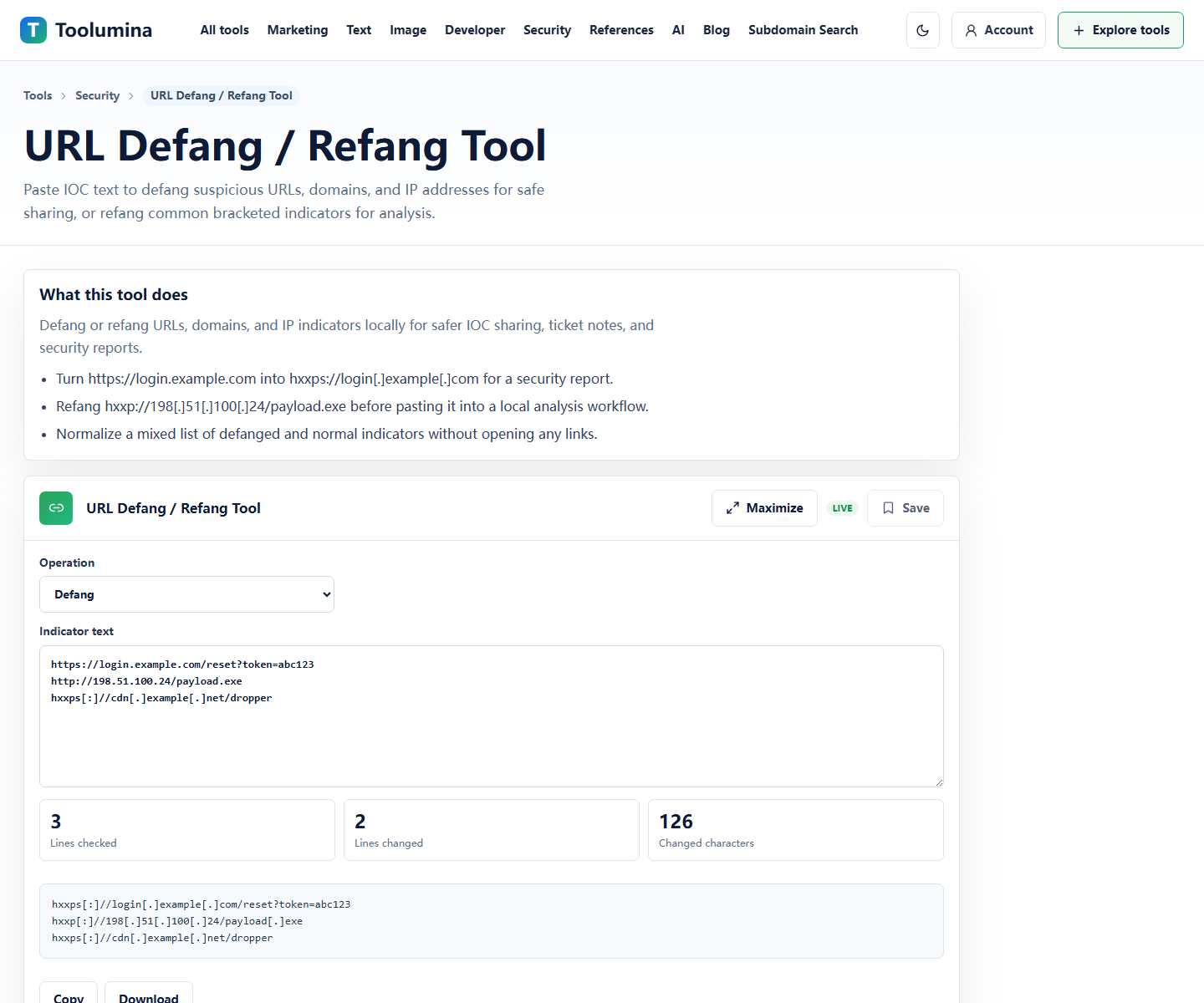
Convert risky URLs and domains into a non-clickable form before posting them in tickets, chat, or documentation. This reduces accidental clicks during triage.
URL Defang / Refang ToolPrepare the handoff note
Summarize what was found, where it came from, what was defanged, and what still needs verification. Keep transformed indicators separate from evidence text.
IOC ExtractorScreenshots from the workflow
Turn messy alert text into a reviewable list
Security alerts and threat notes often mix URLs, domains, IPs, hashes, and normal prose. Extracting indicators first makes the triage note easier to read and easier to pass to another analyst.
Grouped output also helps avoid missed indicators. You can review domains separately from hashes, then decide which indicators need enrichment or blocking.
- Extract indicators from alert text or email reports.
- Group URLs, domains, IP addresses, and hashes.
- Keep the original source text available for context.
Defang for human sharing
Defanging changes a URL or domain into a safer, non-clickable representation. That is useful in incident notes, training material, and handoff messages.
Do not lose track of which form is which. A defanged indicator is good for discussion; a refanged indicator may be needed for scanner input, firewall rules, or enrichment tools.
- Use defanged form in chat and tickets.
- Use original or refanged form only when a tool requires it.
- Label transformed indicators clearly.
Keep triage notes small and traceable
A good triage note does not need to be long. It should say where the text came from, which indicators were extracted, which ones were defanged, and what action is requested.
Traceability matters because indicators can be malformed, old, or part of benign examples. The source context keeps the list from becoming disconnected data.
Background notes
IOC extraction is not verdicting
An extracted indicator is only something worth reviewing. It is not automatically malicious. A domain can appear in a report as an example, a redirect, a sinkhole, or a benign host.
Treat extraction as the first step in triage, then verify context, reputation, ownership, timestamps, and observed behavior.
Common defang patterns
Common patterns include replacing http with hxxp, replacing dots with [.], or spacing out protocol separators. The exact style matters less than making the indicator non-clickable and understandable.
Use one style consistently inside the same report so readers do not have to guess how to refang it.