2026-07-20 · 8 min read
SSL Certificate and CSR Decoder Workflow for Practical Certificate Checks
How to read SSL certificates, check CSRs, and catch certificate request mistakes before they slow down renewal or issuance.
Search intent
For users searching how to decode an SSL certificate, inspect a CSR, or check certificate details before renewal.
Key takeaways
- Decode certificates to check subject, issuer, validity dates, and SAN names.
- Decode CSRs before submitting them to a certificate authority.
- Do not confuse a certificate, CSR, private key, and public key.
- Keep private keys out of online tools unless the workflow is explicitly local and safe for your policy.
Tool workflow
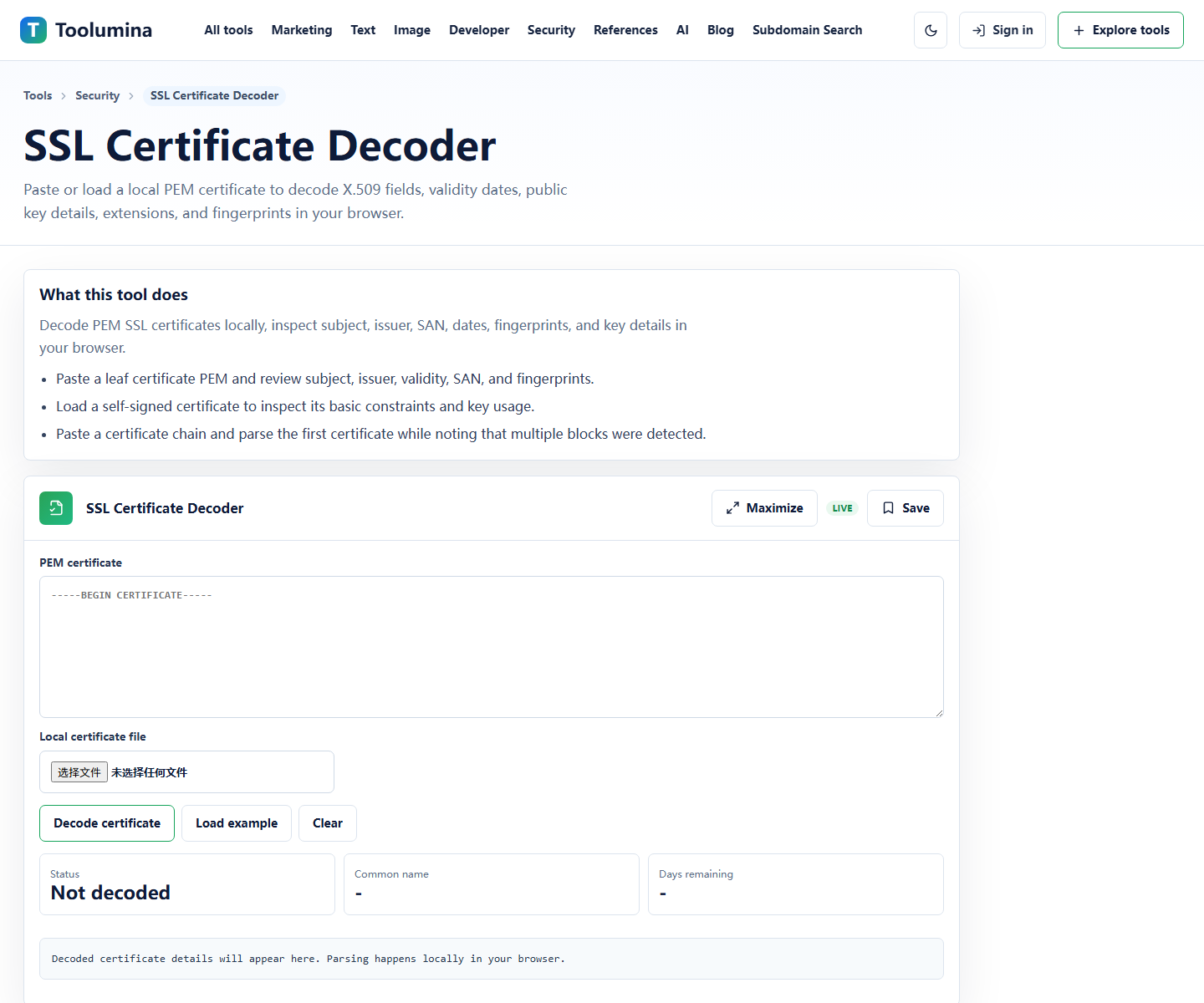
Decode the issued certificate
Paste the PEM certificate and check the subject, issuer, validity period, fingerprint, and subject alternative names. These fields answer most renewal and mismatch questions quickly.
SSL Certificate DecoderDecode the CSR before submitting it
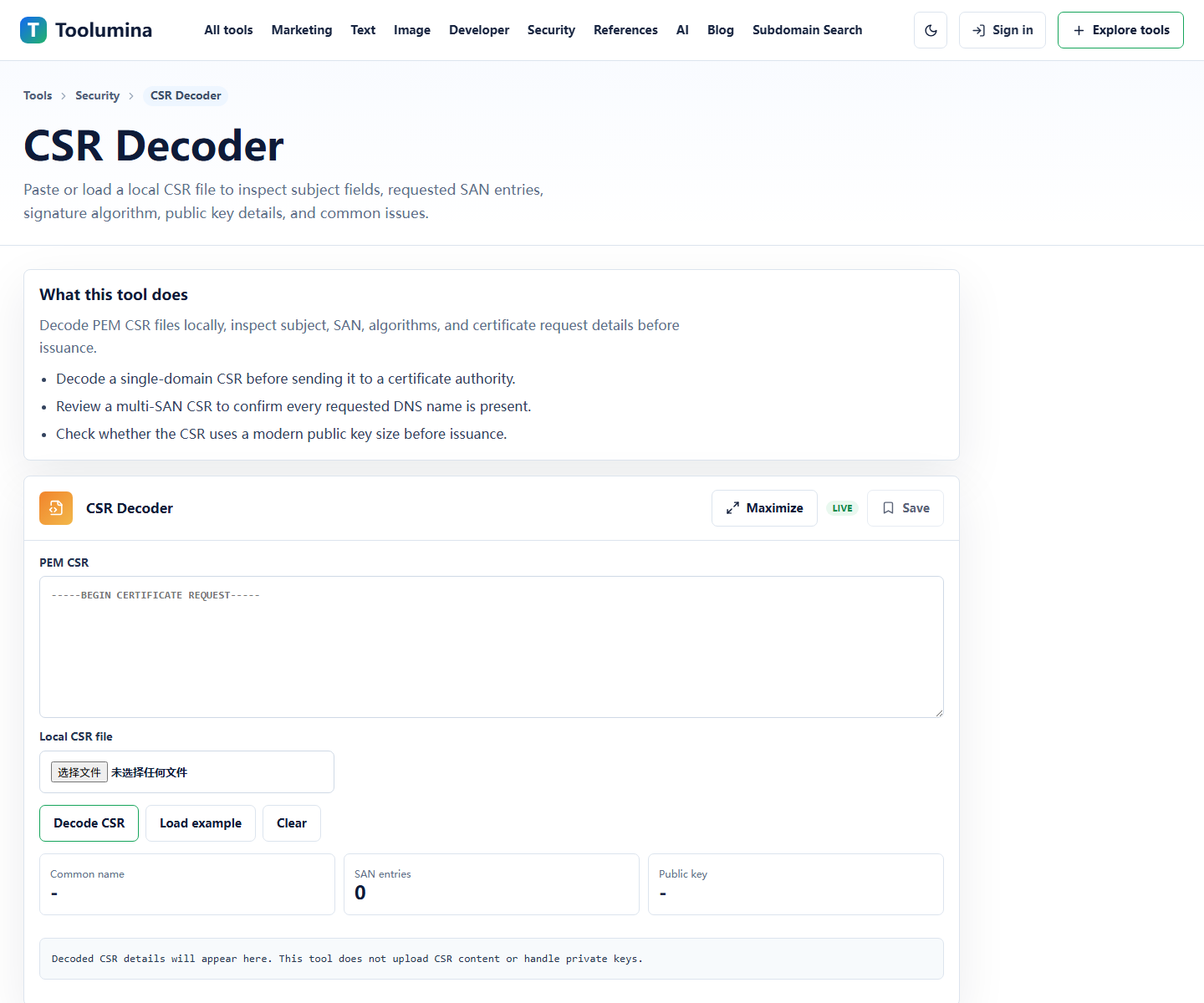
Before sending a CSR to a certificate authority, inspect the common name, organization fields, public key, and requested names. A bad CSR can lead to a certificate that needs to be reissued.
CSR DecoderKeep key material separated
Use key tools only when you understand where the private key is generated and stored. A CSR is safe to share with a certificate authority; a private key is not.
Key Pair GeneratorScreenshots from the workflow

Check certificate details before chasing server problems
TLS debugging often starts with a vague error: expired certificate, name mismatch, untrusted issuer, or wrong certificate served from a load balancer. Decoding the certificate gives you the fields you need before changing server config.
Look first at validity dates, subject alternative names, issuer, and fingerprint. If the hostname is not in the SAN list, the certificate will not match even if the common name looks familiar.
- Check not before and not after dates.
- Check subject alternative names for every hostname users visit.
- Compare issuer and fingerprint when multiple certificates are in circulation.
Use CSR decoding before renewal or purchase
A CSR contains the public key and requested identity information. If the CSR has the wrong organization, common name, or requested names, the issued certificate may not fit the deployment.
Decoding the CSR before submission is a small step that prevents slow reissue loops.
- Confirm the requested names.
- Confirm the key type and size.
- Keep the matching private key on the system where it belongs.
A simple certificate review checklist
For routine review, keep the checklist short. Decode the certificate, decode the CSR if renewal is involved, then verify deployment behavior from the actual hostname.
The decoder tells you what is inside the material. It does not prove that every server, CDN edge, or load balancer is serving the same certificate.
- Decode local certificate material.
- Check the live hostname after deployment.
- Document expiry date and owner.
- Rotate certificates before emergency renewal becomes necessary.
Background notes
Certificate, CSR, public key, and private key
A certificate is the issued identity document. A CSR is a request used to get a certificate. A public key can be shared. A private key must remain private.
Mixing these terms causes many certificate mistakes. A decoder helps you read the material, but it does not replace key handling policy.
What not to paste casually
Certificates and CSRs are usually public enough to inspect. Private keys are different. If your workflow involves real production private keys, use approved internal tooling and follow your organization's policy.
For learning or documentation, use sample certificates and sample keys instead of production material.