2026-07-08 · 8 min read
Subdomain Search, Reverse IP, and CIDR Domain Research Workflow
How to choose between subdomain search, reverse IP lookup, and CIDR range research when the starting clue changes from one case to the next.
Search intent
For users searching how to find subdomains, domains on an IP address, or domains in an IP range.
Key takeaways
- Use subdomain search when the root domain is known.
- Use reverse IP search when the known clue is an IP address.
- Use CIDR or IP range search when the question is about a network block.
- Treat public DNS results as discovery leads, not ownership proof.
Tool workflow
Start from the clue you trust
Use the most reliable clue first. If you have a root domain, search the domain. If you only have an IP address, use reverse IP. If you have an owned or provider range, use CIDR research.
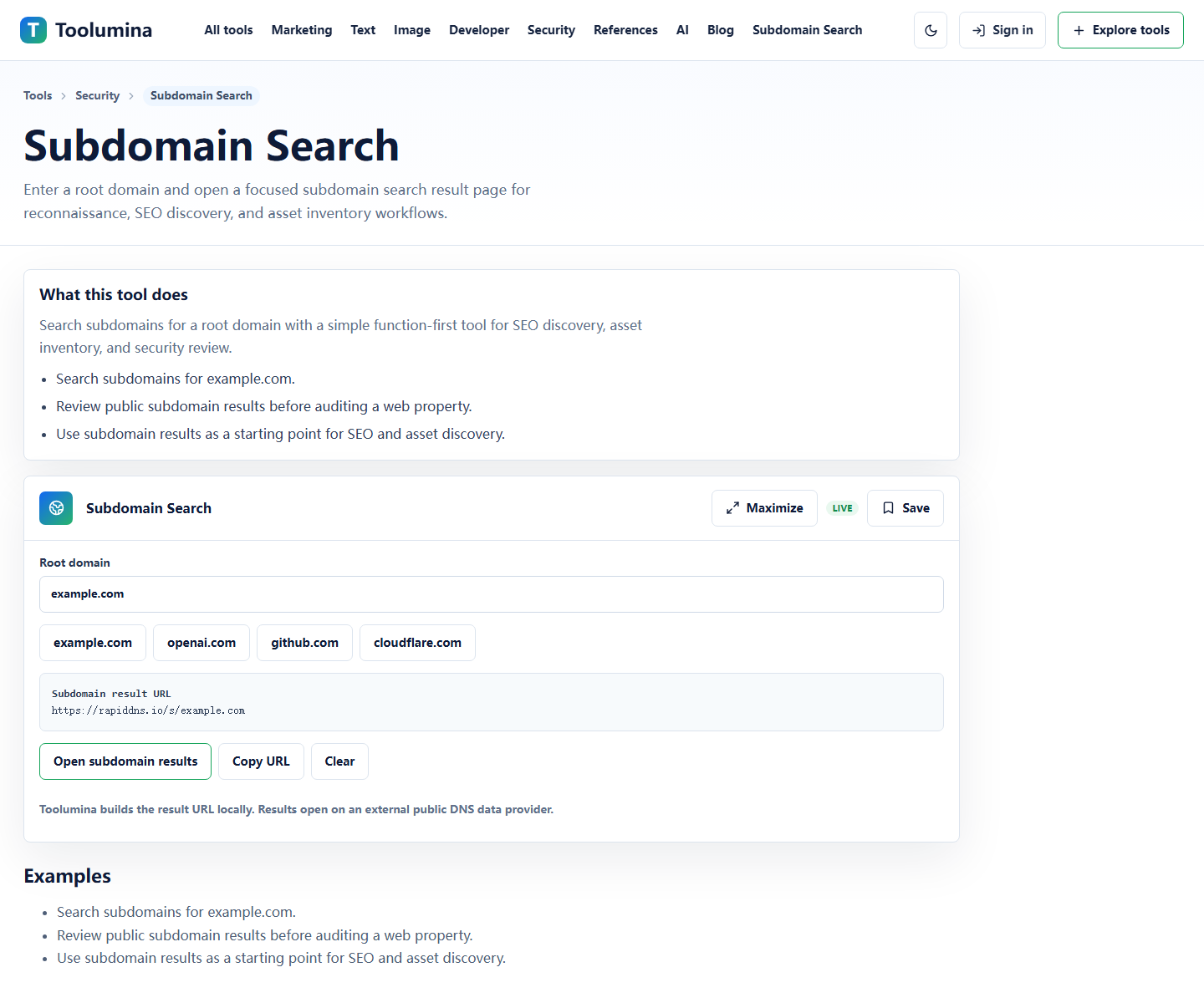
Subdomain SearchGroup the results before judging them
Separate docs, app, status, support, CDN, and staging-like hostnames. Grouping results makes the next review faster and avoids treating every subdomain as equally important.
Subdomain SearchVerify ownership and current behavior
Use reverse IP and CIDR results as leads, then verify live DNS, HTTP response, certificates, redirects, and internal ownership before acting on the data.
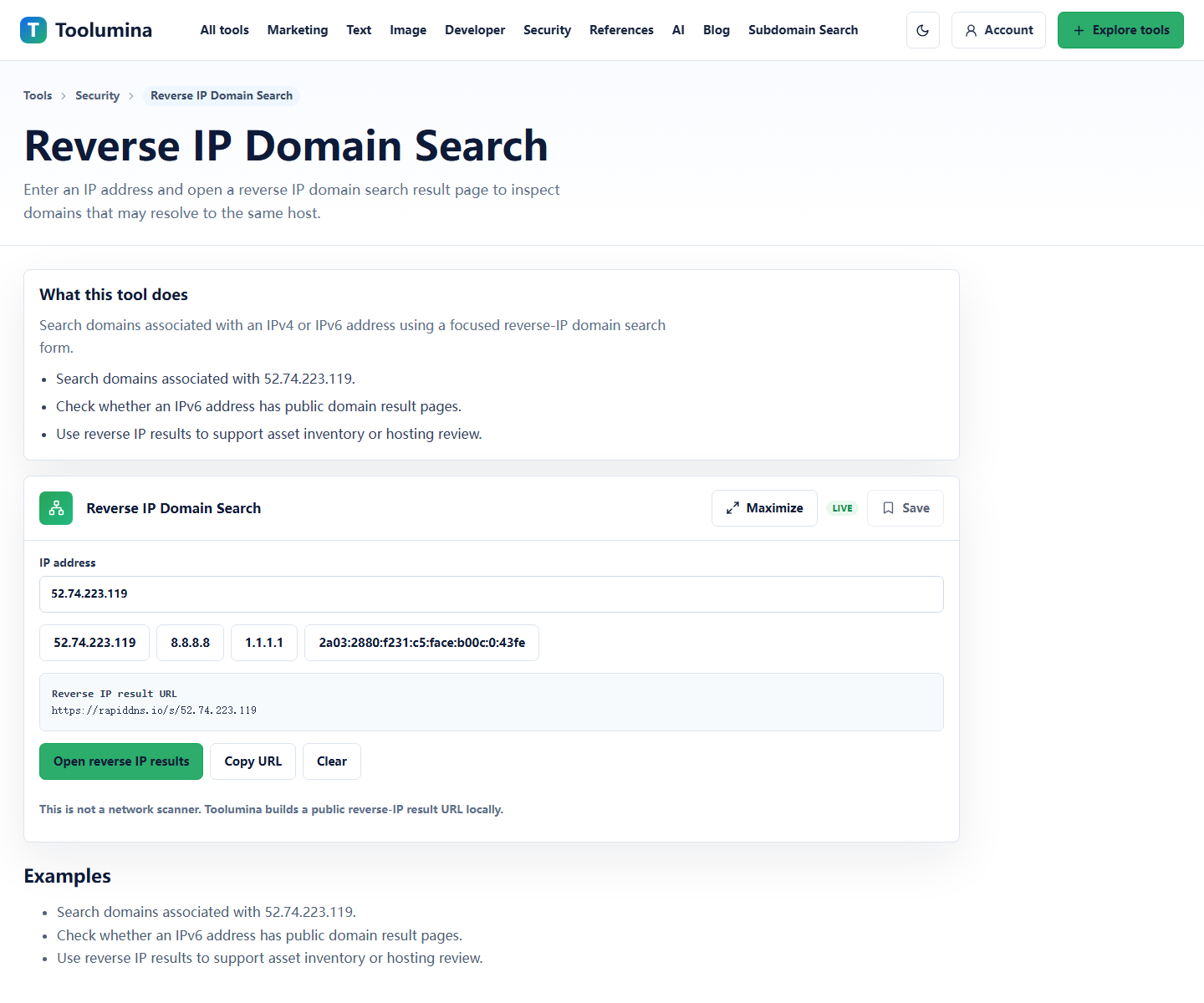
Reverse IP Domain SearchScreenshots from the workflow
Pick the search path from the clue you already have
Domain research usually starts with one of three clues: a root domain, an IP address, or a network range. The fastest workflow is to choose the tool that matches that clue instead of dropping everything into a generic lookup box.
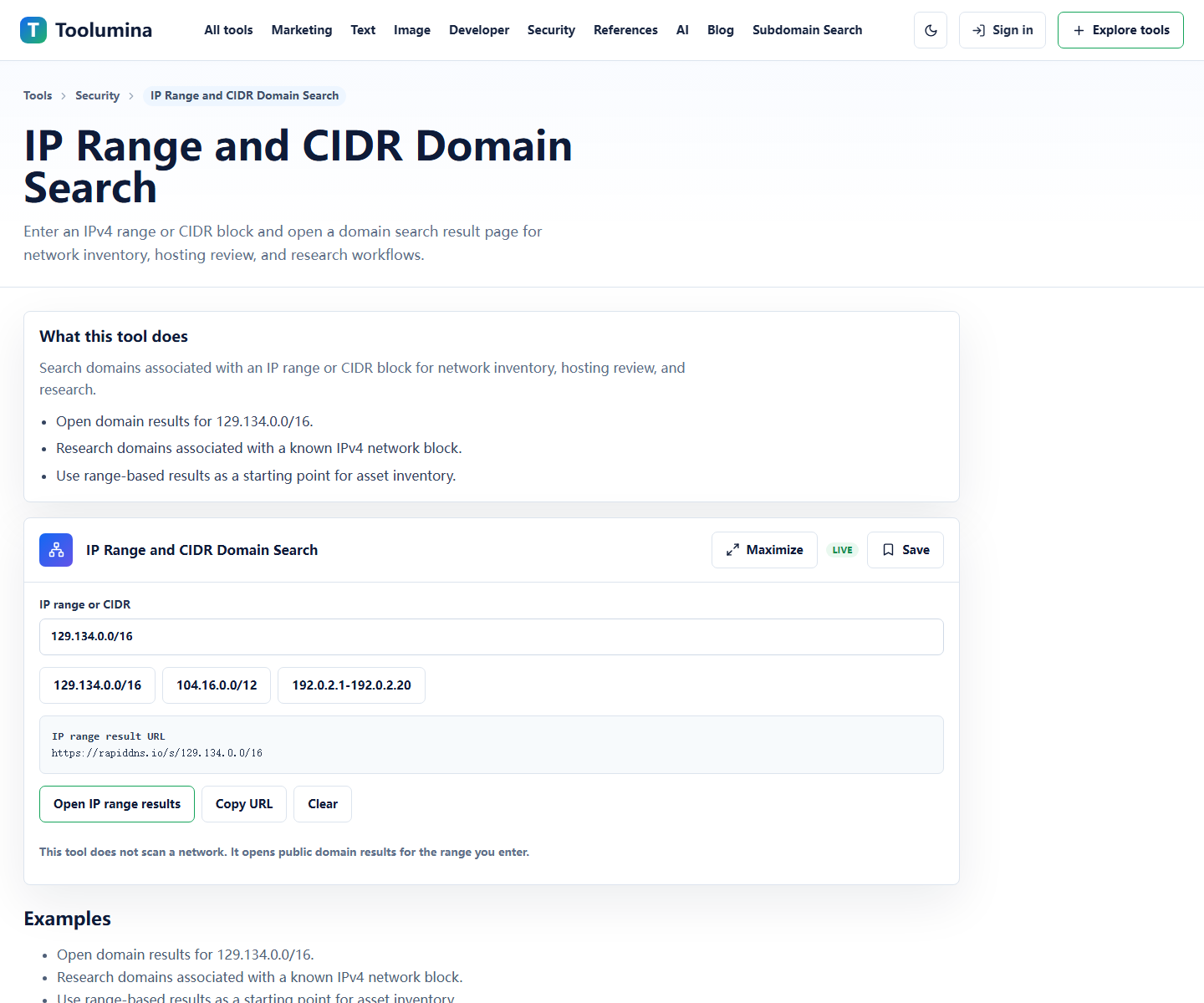
If the clue is a company domain such as example.com, start with Subdomain Search. If the clue is an address such as 52.74.223.119, start with Reverse IP Domain Search. If the clue is a range such as 129.134.0.0/16, start with IP Range and CIDR Domain Search.
- Known root domain: search public subdomain result pages.
- Known IP address: search domains associated with that IP.
- Known CIDR block: search public domain results for that network range.
Subdomain search: best for asset discovery and SEO migration checks
Subdomain search is useful for public asset inventory, security review, brand monitoring, and SEO migration planning. It can reveal patterns such as admin.example.com, docs.example.com, support.example.com, or staging-like names that deserve manual review.
For SEO work, subdomains matter because content, redirects, canonical tags, and internal links can live outside the main www host. A migration checklist that ignores subdomains often misses old landing pages, docs portals, app shells, and support centers.
- Check old marketing or campaign subdomains before redirect migrations.
- Review docs, app, status, support, and CDN-style subdomains.
- Use results as a lead list, then verify each live URL manually.
Reverse IP search: useful, but easy to misread
Reverse IP domain search can show domains that appear associated with the same IP address. That can be useful when auditing shared hosting, checking unexpected infrastructure, or collecting leads during asset inventory.
The important caveat is that shared hosting, CDNs, parking pages, and historical DNS data can create noisy results. A reverse IP result does not prove that every domain belongs to the same owner.
- Good for discovery: finding leads connected to an IP.
- Not proof: CDN and shared-hosting results can be unrelated.
- Next step: verify domain ownership, current DNS, certificate data, and live HTTP behavior.
CIDR and IP range search: network-level research
CIDR search is best when the question is about a network block instead of one host. It is useful for network inventory, hosting footprint review, and research around a provider-owned or organization-owned range.
Start broad with the CIDR block, then narrow down to IPs and domains that look relevant. Keep a short spreadsheet of domain, IP, source, current status, and action needed. That turns a noisy result page into a practical review workflow.
- Start with the CIDR range.
- Group results by domain pattern, owner clue, and current HTTP response.
- Move verified assets into an inventory or SEO migration sheet.
A practical five-minute workflow
For a quick review, run Subdomain Search first, copy likely active subdomains, then use Reverse IP Domain Search for any unfamiliar IPs you encounter. If those IPs are part of a known range, finish with IP Range and CIDR Domain Search.
This sequence keeps the work grounded. You start from a domain, move to infrastructure only when needed, and avoid treating public data as a scanner or final source of truth.
- Minute 1: search the root domain.
- Minute 2: mark product, docs, support, app, and staging-like subdomains.
- Minute 3: inspect unfamiliar IPs with reverse IP search.
- Minute 4: check known CIDR ranges if relevant.
- Minute 5: create a verify/follow-up list.
Background notes
Public DNS data is a lead source, not a final asset inventory
Public DNS and reverse lookup sources are useful because they quickly expose names, IPs, and patterns worth checking. They are not a replacement for internal asset records or direct verification.
A result can be old, parked, shared, delegated, or routed through a CDN. That is why the practical workflow is discovery first, verification second, action third.
- Check current DNS records before taking action.
- Open live URLs only when you have permission and a legitimate reason.
- Confirm ownership through internal systems, certificate data, or provider records.
SEO and security teams read the same data differently
For SEO, subdomain research helps find legacy content, docs portals, old campaign hosts, and redirect gaps. For security or IT review, the same list helps identify exposed admin panels, forgotten staging hosts, and third-party services.
The data becomes more useful when each result has an owner, purpose, status, and next action instead of being left as a raw list.